Stoneware
ProductSolutionsDocumentationDevelopersSecuritySign inBook demo
STONEWARE LEARN

Documentation for the work,
not just the menu.

Role-based guidance for customer sales, exact stone inventory, purchasing, receiving, supplier finance, ARI intelligence, warehouse execution, security and troubleshooting.
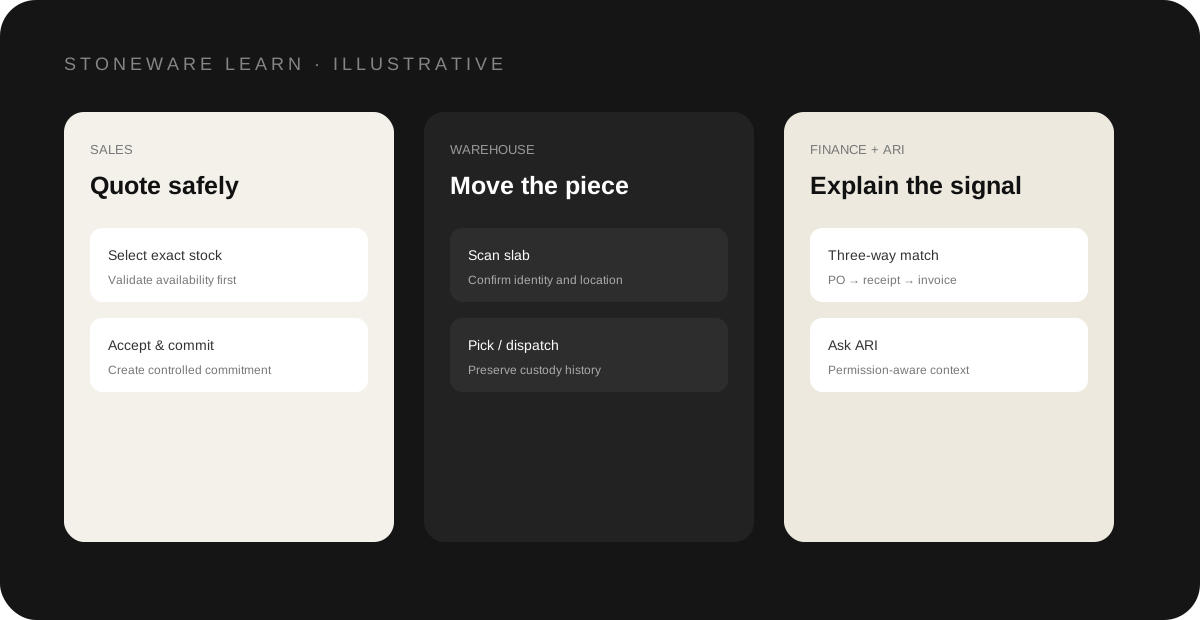
Illustrative Stoneware learning paths across sales, warehouse, finance and ARI
Role-based learning across the connected Stoneware workflow
GETTING STARTED

Getting started

8 guides

Welcome to StonewareStoneware connects customer sales, exact physical stone inventory, purchasing, warehouse execution and commercial completion in one focused workspace.First-week rollout checklistA practical sequence for taking a Stoneware company from setup to controlled live use.Account setupPrepare the Stoneware workspace and business identity before production use.Company settingsKeep tenant-specific business configuration correct and controlled.Regional settingsConfigure timezone, currency and local commercial behavior.Users & permissionsGive each employee only the capabilities they need.Data migrationMove opening operational data into Stoneware in controlled, reviewable batches.Operational migrationPopulate a Stoneware company through controlled, idempotent migration workflows without creating duplicate business engines.
SALES & CRM

Sales & CRM

5 guides

Accounts & contactsUse CRM Account as the visible customer master in Stoneware.LeadsCapture and qualify early enquiries before they become active opportunities.OpportunitiesTrack active sales work before and during quoting.Activities & follow-upKeep tasks, calls and follow-up attached to the relevant sales record.Sales workflowThe recommended end-to-end sales sequence in Stoneware.
QUOTES & COMMERCIAL

Quotes & commercial

8 guides

Create a quoteBuild a customer quote using live Stoneware commercial and inventory context.Quote live inventoryUse the exact stone catalogue when the customer is selecting physical stock.Delivery or customer collectionCapture how accepted stone will leave the warehouse.Quote lifecycleUse controlled quote actions rather than free-form status editing.Accept a quote safelyQuote acceptance is a transaction, not only a visual status change.Official quote PDFsCreate a customer-ready Stoneware quotation document.Invoices & paymentsComplete accepted commercial work with invoices and payment history.Commercial cancellation & reversalReverse commitments without silently corrupting inventory or finance history.
INVENTORY

Inventory

9 guides

MaterialsMaintain clean material masters for inventory, search and integrations.Material variantsUse variants for reusable material/finish/thickness combinations.Lots & bundlesGroup physical stone while preserving individual slab identity.SlabsTrack each whole slab as an individual physical inventory record.RemnantsTrack reusable cut pieces without double-counting area or cost.Warehouses & locationsModel where physical stone is stored.Inventory statusUnderstand which states are manually editable and which are workflow-managed.Stock movement historyUse movement history as the trace of physical inventory change.Find inventory quicklySearch by the identifiers the warehouse and sales teams actually use.
PROCUREMENT & RECEIVING

Procurement & receiving

7 guides

SuppliersMaintain supplier records and stone-material relationships.Purchase ordersCreate and approve supplier purchase orders before inbound shipment execution.ShipmentsTrack inbound logistics from the approved purchase order toward receipt.Containers & shipment itemsRepresent what is expected to arrive before the warehouse receives it.Receive inbound stoneTurn expected inbound goods into controlled physical inventory.Receiving exceptionsResolve mismatch or damage without hiding what happened.Landed costAllocate inbound costs to received stone under cost permissions.
RESERVATIONS & FULFILMENT

Reservations & fulfilment

10 guides

Projects & selectionsGroup customer stone work and selected physical pieces before commitment.ReservationsTemporarily protect exact slabs for a project/customer context.Reservation expiryUse expiry to prevent indefinite stock holds.Quote linksConnect accepted commercial quote items to exact stone reservations.AllocationsCommit reserved stone to accepted work.PickingScan or identify the correct allocated items before dispatch.DispatchRecord which selected fulfilment items leave the warehouse.Customer collectionComplete warehouse handover for collection orders with the same traceability as delivery.Delivery & proofCapture operational evidence for dispatch and delivery.Returns & inspectionBring returned stone back through receipt, quarantine/inspection and final disposition.
WAREHOUSE

Warehouse

4 guides

Warehouse transfersMove committed or available stock between warehouses through a controlled custody workflow.StocktakesFreeze and verify expected stock against physical counts.Barcode & QR scanningUse physical identifiers to reduce manual stock selection.Mobile warehouse readinessPrepare operational workflows for employee Android/iOS usage.
ARI & INTELLIGENCE

ARI & intelligence

4 guides

ARI intelligenceUnderstand the permission-aware intelligence boundary.Ask ARIUse natural-language questions across operational context.ARI Briefing, alerts & recommendationsFocus attention on exceptions and next actions.ARI smart slab searchDiscover relevant exact inventory faster.
SUPPLIER FINANCE & FX

Supplier Finance & FX

4 guides

Supplier Finance & FXConnect liability, credits, FX and settlement.PO → Receipt → Invoice matchingCompare ordered, received and invoiced quantities/values.Supplier creditsApply and reconcile credits with balance protection.FX accounting & settlement controlsKeep recognition and settlement rates auditable.
ADMINISTRATION & SECURITY

Administration & security

9 guides

AuthenticationUnderstand Stoneware customer authentication surfaces.Email verificationRequire verified email where the configured Stoneware policy applies.Multi-factor authenticationUse authenticator or email MFA where enabled for the Stoneware account.Roles & action permissionsDesign permissions around job responsibilities, not broad module access.Plan & feature entitlementsEnsure subscription plans are enforced beyond the navigation menu.System healthUse operational checks before calling an environment production-ready.Notifications & emailKeep commercial and operational notifications Stoneware-branded and production-tested.Webhook administrationUse signed webhooks to notify trusted integrations of operational changes.Subscription & billingManage Stoneware plan checkout and subscription state through the Stoneware-owned customer surface.
TROUBLESHOOTING

Troubleshooting

8 guides

Troubleshooting centerStart with the workflow state, permissions and system evidence before making data changes.Quote cannot be acceptedResolve quote acceptance failures without bypassing stock validation.Stock is not availableUnderstand why a slab/remnant cannot be selected or committed.Allocation is blockedResolve allocation preconditions while protecting physical stock.Dispatch is blockedResolve fulfilment state or item-selection issues before material leaves the warehouse.Permission deniedDetermine whether access is blocked by role, company, plan or API scope.Migration errorsFix source data or mappings instead of forcing invalid rows into production.Quote or invoice PDF issuesCheck document data, branding assets and storage before changing commercial records.
DOCUMENTATION STANDARDS

Guidance that follows the real workflow.

Stoneware documentation separates commercial intent, physical-stock commitment and fulfilment so teams understand not only what to click, but why the workflow is controlled.

Role basedSales, warehouse, purchasing, administrators and owners get focused learning paths.
Permission awareArticles call out where access, cost visibility or administrative rights affect the workflow.
Operationally sequencedGuides follow Account → Quote → Reservation → Allocation → Fulfilment → Invoice where relevant.
Troubleshooting readyCommon blockers explain causes, checks and safe resolution paths.